Tag: sqls

Microsoft SQL Server components - When working with information systems previously installed by system administrators, quite often you may encounter the situation that the server, which requires...
MS SQL Server is a platform for solving critical tasks on an enterprise-wide scale, with high availability, increased productivity and security. The solution is a well scalable, fully relational,...
Reason #1 - Microsoft SQL Server now runs on Linux as well November 16, 2016 Microsoft published the first public cross-platform version of SQL Server VNext, which now also works under Linux:...

PROS AND CONS - Independence from a specific DBMS Despite the presence of dialects and syntax differences, most of the SQL query texts containing DDL and DML can be easily transferred from one...
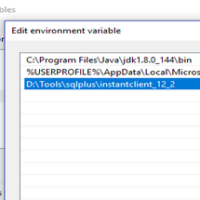
SQLS*Plus connectivity environmental variables1) SQLSUSER / SQLCMDUSER Default connect user2) SQLSPASSWORD / SQLCMDPASSWORD Default connect user password3) SQLSSERVER /...
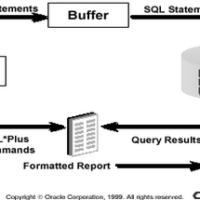
SQLS*Plus is a client terminal software allowing users to interact with SQL Server to manipulate data and data structures. Users type in SQL statements in SQLS*Plus that send statements to SQL...
Console version of SQLS*Plus can be run by specifying additional command line parameters. Let's list the most important command line parameters for SQLS*Plus: -S (-SILENT) - "silent" mode, in...

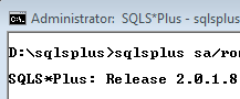
GUI tools like TOAD and SQL Developer are all fine, but those who have cut their teeth on SQL*Plus will not do without good old command-line interface. And so, a message like the one below makes...
These instructions are to enable you to login and connect to a database after you have installed SQL*Plus. You can connect to the default database you created during installation, or to another...
SQLS*Plus - Sample start string: sqlsplus.exe /nolog col N1 format 999,999,999.99 In this example we are starting SLQS*Plus and not initiating connection to the SQL Server. Setting format...

SQLS*Plus - Sample connect string: sqlsplus.exe hlc/hlc@192.168.1.170SQL2014I01 In this example we are connecting SQLS*Plus connect to the specific instance "SQL2014I01" of SQL...

SQLS*Plus - Sample start string: sqlsplus.exe /nolog In this example we are starting SLQS*Plus and not initiating connection to the SQL Server. After that we can connect to the specific...